Watercolor Floral Wreath-Frames Cliparts: Rose Edition
A single rose wreath can shift the tone of a project from simple to polished in seconds. This watercolor rose clipart set brings together red, pink, and white roses in soft botanical arrangements that feel both fresh and timeless. Whether you design wedding suites, social media templates, product labels, or personal crafts, these floral frames offer a quick way to infuse your work with delicate color and natural elegance—without having to paint a single petal yourself. The files are structured to work across software and skill levels, making them as practical for a solo blogger as they are for a small design studio.
What’s Inside the Rose Floral Watercolor Collection
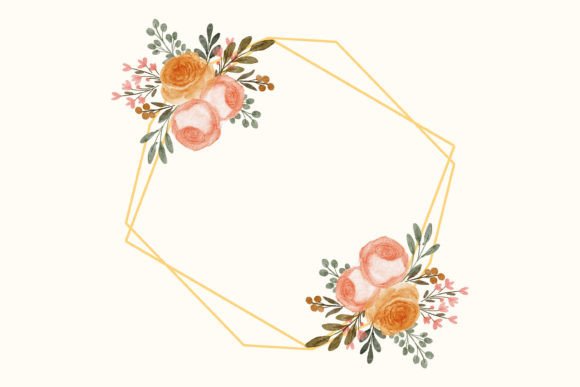
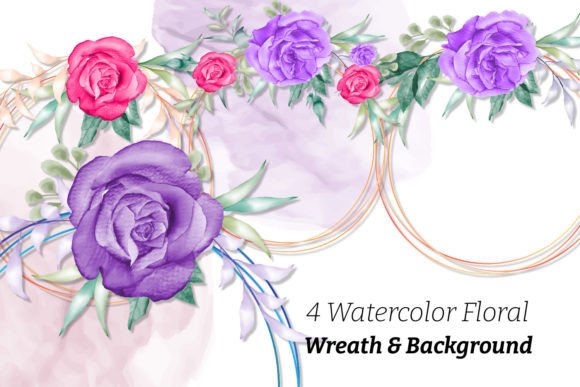
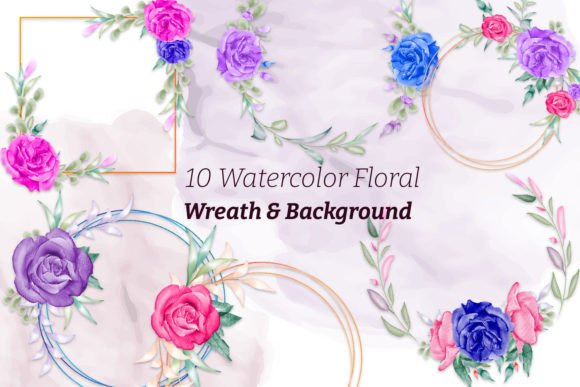
You receive eight high-resolution PNG files featuring wreaths built from watercolor roses, buds, and subtle leaf accents. Two additional PNG files provide floral frames that can border monograms, quotes, or portraits with a soft garden feel. All PNGs come with transparent backgrounds, so you can layer them immediately over any surface you choose. The set also includes an editable vector file in EPS format—ideal if you want to tweak wreats, recolor blossoms, or scale a design to banner-sized projects without losing sharpness. A free font is included, chosen to complement the airy, romantic style of the watercolor roses, so you can start pairing words with botanicals straight away.
Where Rose Wreath Frames Create the Most Impact
The combination of red, pink, and white roses gives you range. A deep crimson wreath reads as bold and passionate; soft blush pinks lean romantic or spring-like; white roses bring a clean, minimal focal point. Because each wreath is a standalone element, you can mix them across a suite of assets to tell a consistent visual story. The following ideas show how these cliparts adapt to different audiences and formats without requiring advanced editing skills.
Elevating Social Media and Digital Content
Influencers, coaches, and small business owners often rely on repeatable templates to stay visible. Place a watercolor rose wreath around a central testimonial quote for Instagram Stories, then use the same wreath as a subtle backdrop for Pinterest pins. The pink rose version works beautifully for lifestyle bloggers sharing wellness tips or spring recipes, while the white rose frame keeps things crisp for a modern brand identity. Because the PNGs are isolated, you can rotate, resize, or partially crop a wreath to create corner accents for Facebook event covers or email newsletter headers. One underused tactic: set a wreath at low opacity beneath text to build a faint watermark texture that feels intentional and crafted.
Designing Invitations and Stationery That Feel Hand-Painted
Wedding suites, baby shower invitations, save-the-dates, and anniversary cards all benefit from the warmth that watercolor roses bring. Instead of printing flat, generic templates, you can use the floral frames to wrap the couple’s names or the event details. For a rustic-glam wedding, combine a red rose wreath with gold foil text (easily simulated in design software). For a bridal shower, a trio of small pink wreaths aligned vertically can frame each section of the itinerary. Even simple thank-you notes feel more personal when a white rose frame sits gently behind the message. The free font included helps carry that cohesive look across all printed pieces, from the invitation to the menu card.
Enhancing Packaging, Labels, and Small-Batch Products
Entrepreneurs selling candles, soaps, honey jars, or handmade goods can use these cliparts to create labels that convey artisanal care. A round rose wreath fits naturally on a jar lid or a product sticker cut into a circle. If you sell a seasonal scent—like rose vanilla—the pink wreath instantly communicates the fragrance. For a more modern, minimalist line, the white rose frame keeps the packaging airy while still adding texture. Because the EPS file is editable, you can pull individual roses out of the wreaths to create a repeating pattern for tissue paper or thank-you inserts. Even if you only use the PNGs, placing a translucent white rose over a kraft background gives a made-by-hand impression that resonates with customers looking for authenticity.
Making the Most of the Editable Vector File
The EPS file separates this collection from static clipart. You can open it in programs like Adobe Illustrator, CorelDRAW, or Affinity Designer and change the stroke weights of leaves, adjust the saturation of a red rose toward burgundy, or rearrange the elements to build a brand-new oval garland. If your brand palette is dusty mauve instead of bright pink, a quick color edit keeps the floral aesthetic aligned with your existing materials. You might also extract a single rose cluster and use it as a favicon or a small website icon. This level of control means you invest once in the asset but can adapt it across vastly different projects—packaging for a body butter line, a logo mark for a florist, or a sticker sheet for a planner collection.
Pairing Watercolor Roses with Type
Typography can make or break a botanical design. The free font included is script-like and airy, designed to sit alongside the soft edges of watercolor. It works well for short phrases, names, or headings. For body copy, consider pairing it with a clean sans-serif that does not compete. When you place text inside a wreath, give the letters breathing room—center them and keep the word count short. If you need a longer message, position the wreath asymmetrically and let your text flow beside it. The red rose wreath tends to ground heavier, serif typefaces nicely, while the white rose frame pairs effortlessly with thin, modern fonts. Test contrasts: a dark charcoal serif inside a pink wreath offers a gentle clash of softness and structure that works well for branding feminine-but-serious services like doula practices or therapy practices.
Keeping Results Professional and Original
High-quality PNGs start at 300 dpi, so your print projects stay crisp. When you use these cliparts in Canva, Photoshop, or Procreate, always check that your document resolution matches your output method. For products that will sit on a shelf, a slight paper texture layered behind the wreath can amplify the handmade feel. To avoid a repetitive look, vary wreath placement across a series: left-align a frame on one page, center it on the next, and use a small rose cluster as a bullet point accent on a third. If you sell designs created with these graphics, remember to flatten layered files before distributing mobile wallpapers or printable art, preserving the original art’s integrity while delivering something beautiful. Consistency emerges when you reuse the same pink rose wreath across a website banner, an email footer, and a PDF guide—small touches that make a solo business feel thoughtfully branded.
Adapting the Floral Frames for Different Audiences
The versatility of red, pink, and white roses means you are not locked into one mood. A watercolor rose wreath can sit at the center of a moody book cover design for a romance author, or brighten a kindergarten teacher’s classroom labels. Education consultants might use the white floral frame around module titles in a workbook, while a yoga studio could place a pink wreath behind inspirational quotes on their scheduling app. For product mockups in a portfolio, layering a red rose wreath behind a candle jar shot instantly conveys a giftable, premium item. When sharing project drafts with a client, show multiple colorways using the same wreath layout—this demonstrates range without extra work and helps clients decide faster.
Storing and Organizing the Assets for Fast Workflows
The set includes eight wreaths and two frames—manageable enough to keep at your fingertips. Create a dedicated folder in your design resources library with clear naming: “Red_Rose_Wreath_Full.png,” “Pink_Frame_Transparent.png.” If you edit the EPS file into custom versions, save those beside the originals. When you find a combination you love—say, a white wreath with the free font used at 24pt—save it as a reusable template so your next project doesn’t start from zero. This small habit turns a $12 clipart purchase into a long-term productivity asset.
From one collection of rose watercolor elements, you can produce a surprising variety of work that feels personal, not mass-produced. The combination of instant PNGs and an editable vector file gives you room to experiment, refine, and return to the wreaths again and again. Whether your next project is a client’s wedding suite or your own brand refresh, these floral frames let you focus less on drawing petals and more on designing with confidence.